
AI Agent for Accounting Firms: FAQ and Onboarding
How accounting firms and bookkeepers use AI agents to handle client questions, automate document collection, and free accountants from routine communication. Cases and ROI.
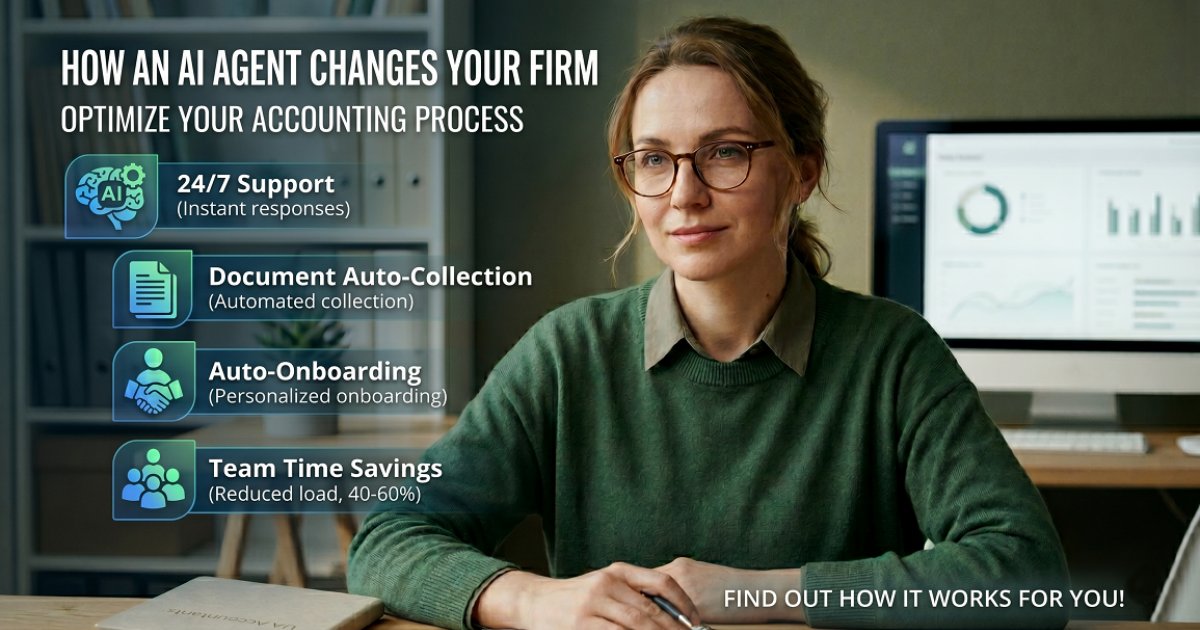
The Accountant's Hidden Time Drain
An accountant spends 30–40% of their working day not on accounting — but on communication. Law firms face a similar challenge — see AI Agent for Law Firms. Answering the same client questions, chasing documents, reminding about deadlines, explaining what needs to be signed and why.
An AI agent takes over this communication layer. The accountant gets back hours for actual work.
What an AI Agent Does for an Accounting Firm
FAQ for Clients: Instant Answers
Clients ask the same questions over and over:
- What documents do I need to submit this month?
- When is the tax filing deadline?
- How do I register as a sole proprietor?
- What's the tax rate for my business type?
- Can I deduct this expense?
- How do I get a certificate of no tax debt?
- What's the penalty for late filing?
Without an agent, the accountant answers each of these by phone or message — several times a day, every day. With an agent: the client writes at any time and gets an instant answer. The accountant is only involved for complex, non-standard situations.
Automated Document Collection
The agent sends reminders on a schedule:
- 5th of each month: "Monthly documents are due. Please send: bank statement, expense receipts, invoices issued."
- Before quarterly reports: "Q2 report is due June 30. Send all documents by June 25."
- Before annual filing: "Annual tax return deadline is approaching. Have you prepared all source documents?"
Clients who are late get follow-up reminders without the accountant manually chasing anyone.
New Client Onboarding
When a business owner becomes a new client, the agent walks them through the onboarding:
- Explains what documents the firm needs for ongoing service
- Sends a checklist of what to gather for the first month
- Answers questions about the process: what will you do for me, what do I need to do myself
- Schedules the first consultation
Onboarding that used to take 2–3 lengthy calls now happens automatically.
Deadline and Reporting Reminders
The agent maintains a tax calendar for each client and sends automated alerts:
- "VAT return due in 5 days — have you sent all invoices?"
- "Salary taxes are due tomorrow. Confirm you've transferred the funds."
- "Annual financial report submission deadline is March 1."
Clients stop missing deadlines — and accountants stop getting calls in a panic at the last minute.
Qualification of New Leads
When a business owner finds the firm online and writes to inquire:
- What type of business? (LLC, sole proprietor, individual)
- What industry?
- How many employees?
- What services do you need? (bookkeeping, tax reporting, payroll, all of the above)
- Are you currently being served by another firm, or starting from scratch?
After qualification, the manager knows exactly what the client needs and can give an accurate quote without a lengthy exploratory call.
Case: Accounting Firm (12 Clients, Solo Accountant)
Situation: Solo accountant with 12 business clients. Spent 2.5 hours per day answering messages and calls: "When is my deadline?" "What do I need to send?" "Is the report filed yet?" No time for actual accounting work in the mornings.
Implementation:
- AI agent on Telegram and WhatsApp
- Automated monthly document reminders per client
- FAQ on deadlines, documents, and processes
- Notification when a client sends documents: "Received, processing"
Results after 6 weeks:
- Communication time reduced from 2.5 hours to 40 minutes per day
- 0 missed document submissions (all clients reminded in advance)
- Took on 3 additional clients without extra workload
- Client satisfaction increased — they get answers instantly instead of waiting
Payback: 3 weeks (from the additional clients taken on).
Case: Accounting Company (30 Clients, 4 Accountants)
At a larger firm, the agent serves as a client portal:
- Each client communicates with the agent as a single point of contact
- The agent routes specific questions to the right accountant
- General FAQ — the agent answers independently
- Document reminders and deadlines — automated for all clients
Result: each accountant freed 1.5 hours per day. Equivalent to gaining 6 extra working hours per week across the team — without hiring additional staff.
Integrations
- Messengers: Telegram, WhatsApp, website widget
- Calendar: Google Calendar for deadline tracking
- Document storage: Google Drive links for document exchange
- CRM: client database with service type and reporting dates
Cost and Payback
| Firm Type | Implementation Cost | Monthly Support |
|---|---|---|
| Solo accountant | $250 – $400 | $25 – $50 |
| Small firm (2–5 accountants) | $400 – $750 | $50 – $100 |
| Firm (5–15 accountants) | $750 – $1,500 | $100 – $200 |
Payback example: A solo accountant charging $200/month per client — taking on 2 additional clients thanks to freed time = +$400/month. The agent pays for itself in the first month. For a full ROI calculation framework, see AI Agent ROI: How to Calculate Payback.
Time Back for Actual Accounting Work
An accountant's most valuable resource is focused time for actual work — not repetitive conversations. An AI agent handles the routine communication: questions, reminders, onboarding, document collection. The accountant gets back hours. Clients get instant responses. Everyone wins — and the business can scale without hiring additional staff.
Have questions? Ask the AI agent right now
Responds in seconds, knows everything about our services and will help with your situation
You might also like
LangChain vs CrewAI vs AutoGen: Choose Right
LangChain, CrewAI, or AutoGen for your multi-agent system? A practical framework guide for CEOs and COOs making the build-or-buy decision in 2026.
EnterpriseGPT-6 Sol & Luna: AI Model Strategy for Business
GPT-6 Sol and Luna give CTOs a real choice between speed, cost, and quality. Here's how to match each model to the right business task.
Pricing & ROIDeepSeek-V4: 1M Token Context at Disruptive Cost
DeepSeek-V4 brings a 1M-token context window at a fraction of OpenAI and Anthropic prices. Here's what it means for your business costs and AI strategy.